A calmer home screen
for car, TV and phone

Prayer times, azkar and the apps you use every day on one Liquid Glass screen. Made for Android car head units, Google TV and Android phones.

Free and open source · No ads, no account · Version 2.9.7

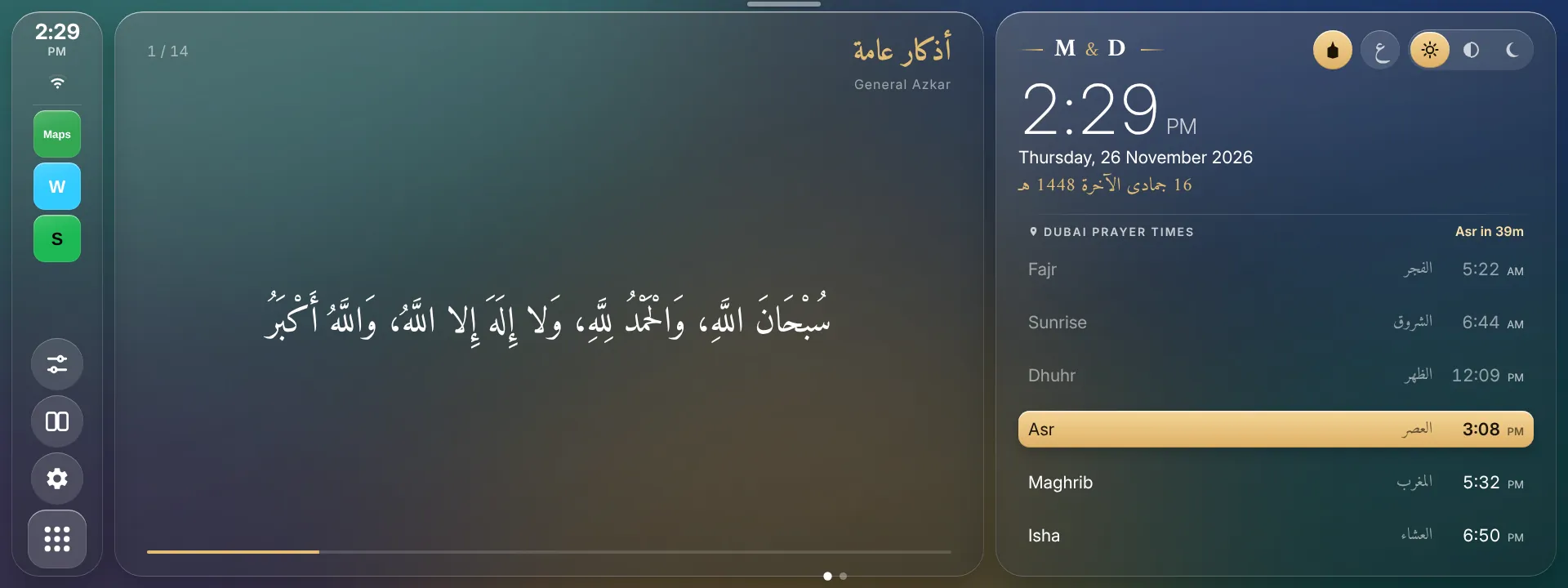
MK Launcher on a car head unit: morning azkar beside the clock, Hijri date and today's prayer times with Asr highlighted

Stock launchers show apps
MK shows your day

Head unit launchers are crowded with icons you never tap, and TV home screens push ads. MK Launcher opens on what matters first: the time, the Hijri date, the next prayer with a countdown, and a remembrance to read. Your apps are one swipe away.

One design on every screen

Three home apps built from the same code, each shaped for how you use that screen.

Car head unit

Drive with your next prayer in sight

  • Drive screen like CarPlaySwipe left for a big Google map that follows the car, beside Now Playing for YouTube, Spotify or Anghami.
  • Two apps side by sideSave pairs such as Maps and YouTube Music and open them together with one tap.
  • Silent prayer bannerTen minutes before each prayer a soft banner appears, even over navigation. No sound.
  • Files from your phone over WiFiScan a QR code and upload music or videos straight into the car's folders.
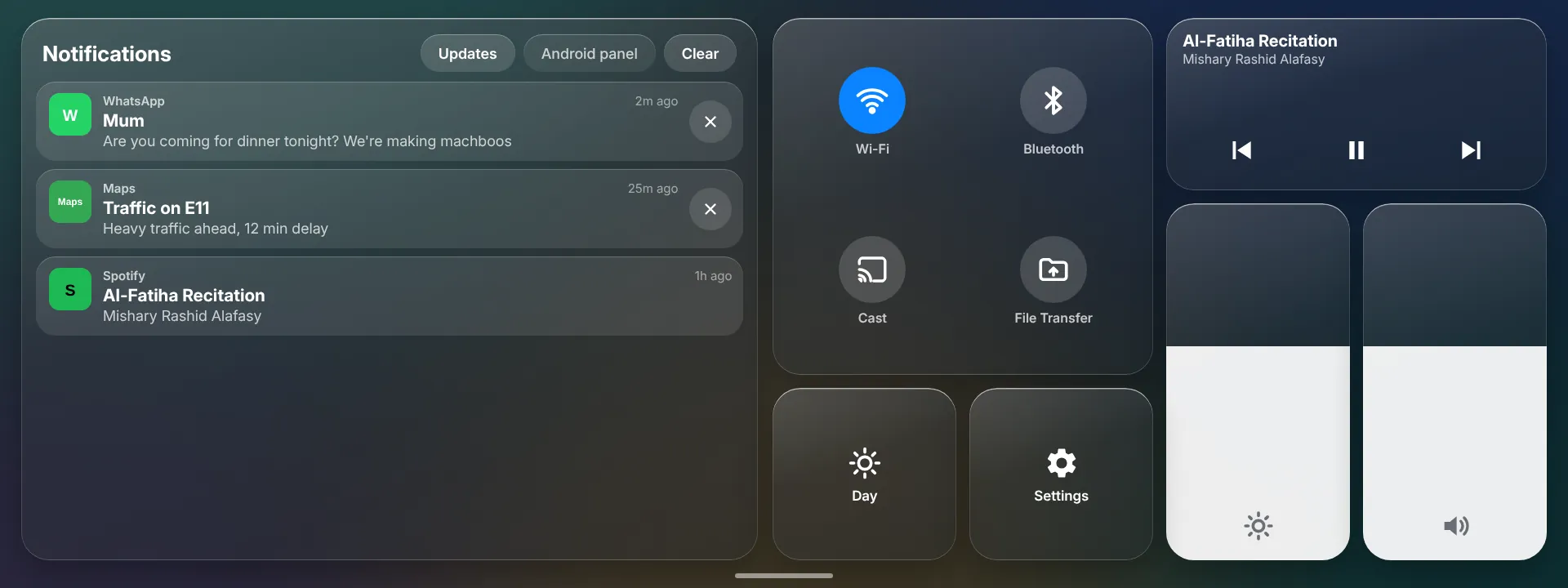
Car Control Center with notifications, WiFi, Bluetooth, Cast and File Transfer buttons, Now Playing and tall brightness and volume sliders

Google TV and Android TV

A living room screen without the ads

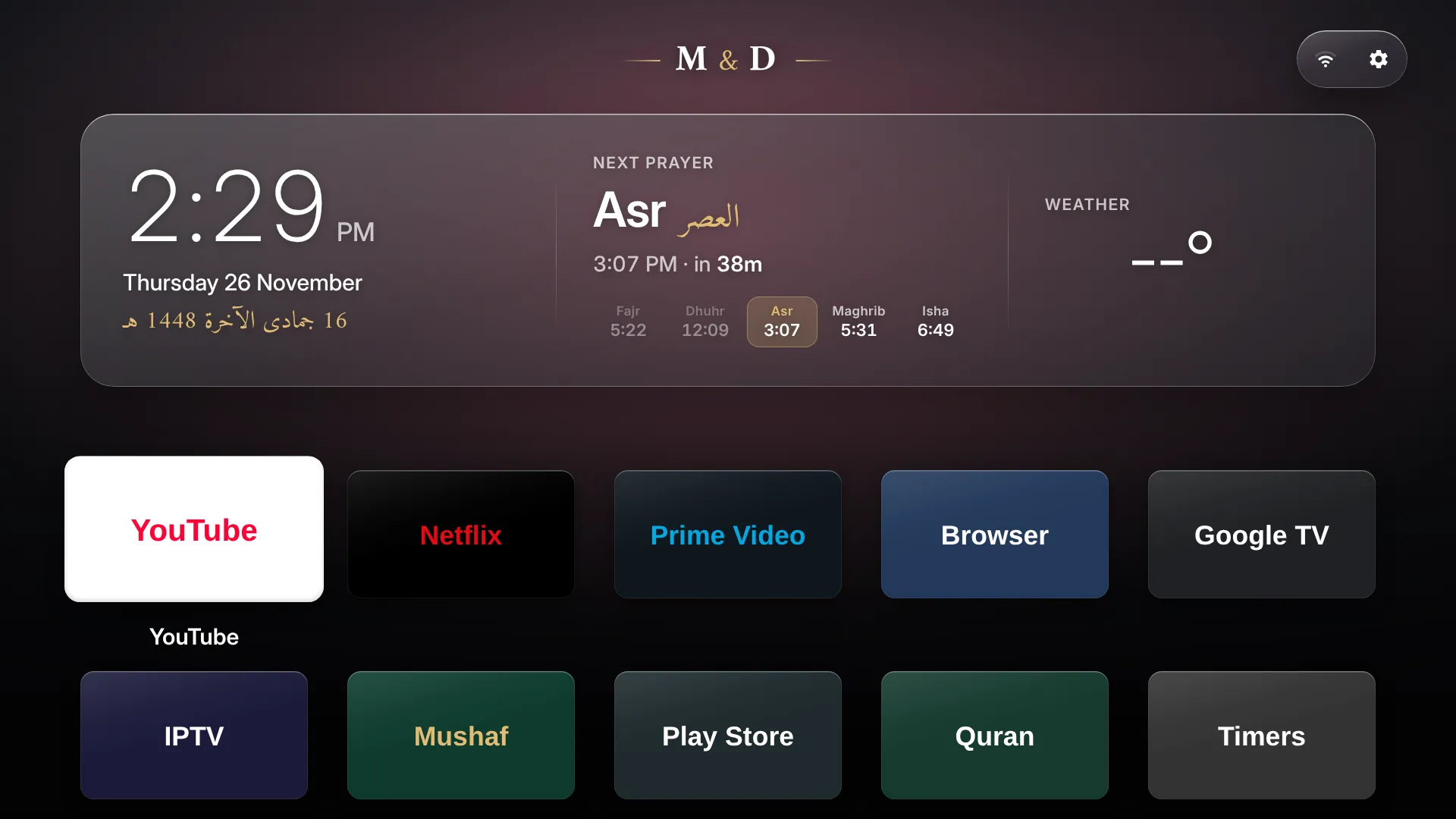
  • Glance panelA large clock, both calendars, the next prayer with all five times, and the weather.
  • Made for the remoteBig app banners in rows you move through with the arrow keys.
  • Islamic screensaverThe M&D dashboard takes over when the TV sits idle, with Friday and white days reminders.
TV home screen with the M&D logo, clock, next prayer Asr and rows of app banners for YouTube, Netflix and Mushaf

Phone, tablet and foldable

Pages and widgets you arrange yourself

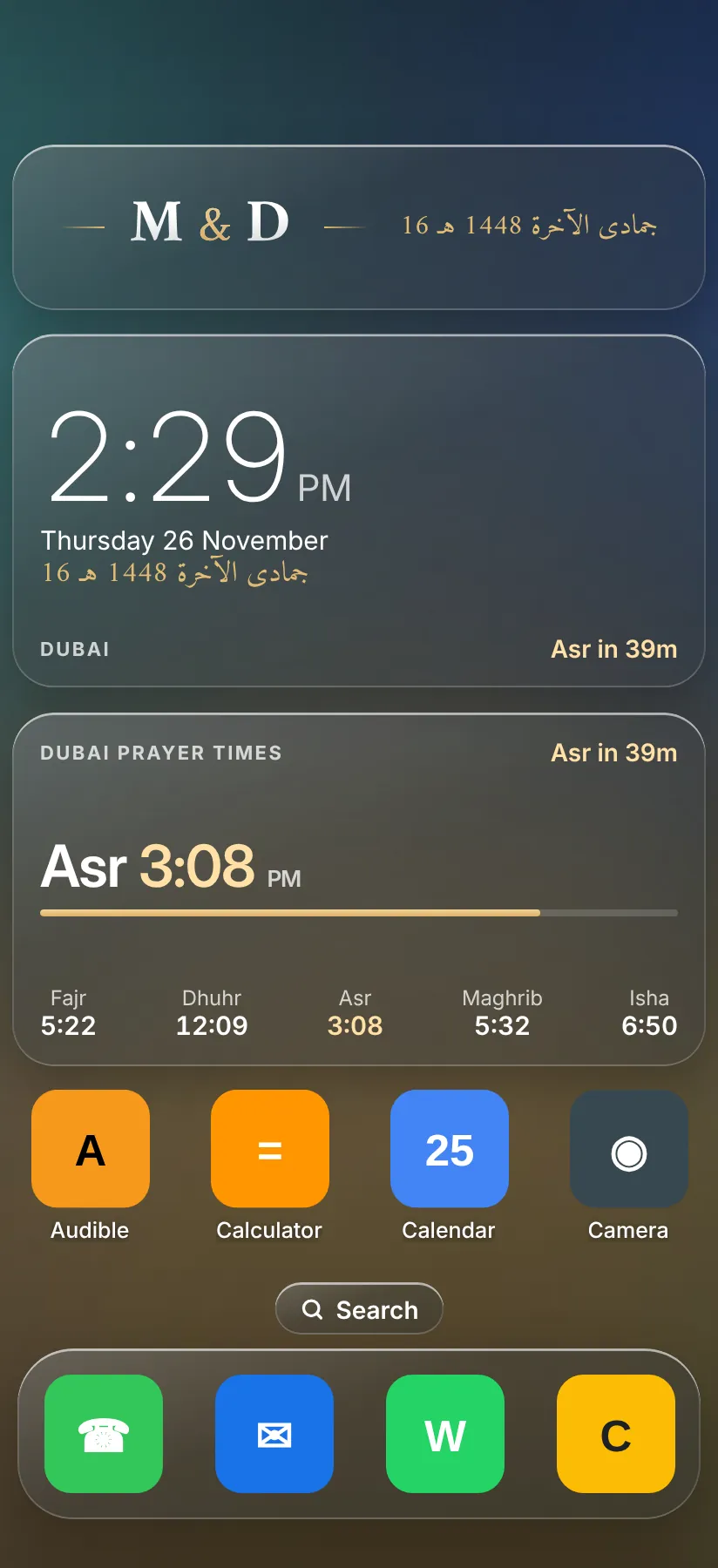
  • Islamic widgets in Liquid GlassTasbih, verse of the day, names of Allah, prayer tracker, Quran khatma, Hijri calendar and more.
  • Place anything anywhereResize widgets, add other apps' widgets and move them between pages.
  • Your layout survives updatesFolders and pages are backed up, and new apps slot into A to Z order.
Phone home screen with the M&D widget, a clock widget, Dubai prayer times and a glass dock

Every drive begins
with remembrance
Every prayer
stays in sight

Installed in three steps

No store, no sign in. You only do this once per device.

  1. 1

    Download the APK

    Pick your device below. On a head unit, copy the file with a USB stick or open this page in its browser.

  2. 2

    Open it and allow the install

    Android asks once to allow installs from your browser or file manager. Then set MK Launcher as your Home app.

  3. 3

    Updates come to you

    Each app checks for new versions once a day and shows an update card. One tap downloads and verifies it.

Download MK Launcher

Straight from the GitHub release 2.9.7, published 11 November 2026. Every file is checked against its SHA256 checksum by the in app updater.

Car head unit

Android 8 or newer. Made for wide 12 inch screens such as 1920 × 720.

Download for car

APK · 4.8 MB · mk-car-launcher-v2.9.7.apk

Google TV and Android TV

Android TV 9 or newer. Install it with any file manager on the TV.

Download for TV

APK · 4.8 MB · mk-tv-launcher-v2.9.7.apk

Phone and tablet

Android 8 or newer, including foldables and large tablets.

Download for phone

APK · 4.8 MB · mk-phone-launcher-v2.9.7.apk

MK Car Helper

Optional, for the car. Split screen, Now Playing for any app and notifications in the Control Center.

Download helper

APK · 69 KB · mk-split-helper-v2.9.7.apk

Questions before you install

Is MK Launcher free?

Yes. Every app is free, has no ads and needs no account. The source code is on GitHub under the MIT license.

Which head units does the car launcher work on?

Android car head units running Android 8 or newer. It is laid out for wide 12 inch screens such as 1920 × 720 and also fits other sizes, with touch first controls.

Android says "There was a problem parsing the package"

Install the .apk file for your device, never the Google Play bundles zip. If the error stays, allow "Install unknown apps" for the file manager you open it with, then try again.

Why is it not on Google Play?

For now it is installed from the files on this page. Once installed, each app checks for new versions by itself and offers them inside the app, so you only download from here once.

What does MK Car Helper do?

It is a small optional app for the car. It opens split screen pairs, shows Now Playing for any music or video app, brings your notifications into the Control Center and swaps Android's old pull down shade for the Liquid Glass one. Switch on MK Split Screen in Accessibility after installing.

How are prayer times calculated?

From your location with the official calculation method of the country you are in. In the car the times follow the car's GPS as you travel.

Will I lose my layout when I update?

No. Updates keep your pages, folders and widgets. The phone launcher can also save a backup to Downloads and restore it on a new device.

Can I go back to my old launcher?

Any time. Choose another Home app in Android's settings under Default apps, or uninstall MK Launcher like any other app.

Start with the screen you use most

Free, no ads and no account. Uninstall any time.

Download for free